Production Simulator
Turn complexity into clarity with smart production scheduling
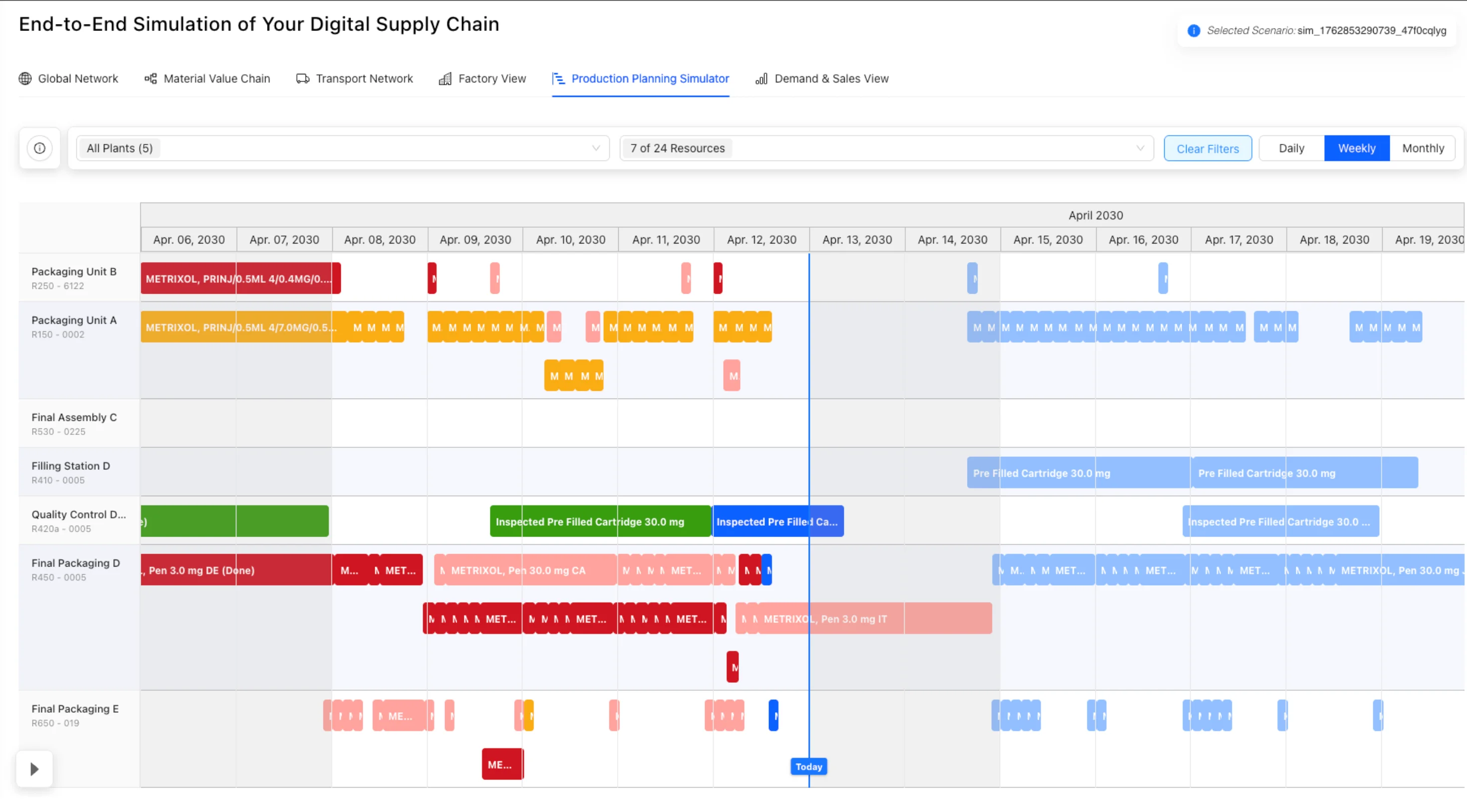
The Production Plan View brings your factory's workload to life in a clear Gantt-style timeline. It shows exactly what's scheduled, what's delayed, and where bottlenecks are forming – helping teams plan smarter, react faster, and keep production on track.
The Three Challenges of Production Scheduling
Fragmented Scheduling Data
Production plans are often scattered across spreadsheets or siloed systems, limiting visibility.
Without centralized scheduling data, teams struggle to coordinate effectively, leading to miscommunication, duplicate efforts, and planning conflicts.
Hidden Bottlenecks
Without a clear overview, it's difficult to see where delays are forming or resources are overloaded.
Production bottlenecks often go unnoticed until they cause major disruptions, resulting in missed deadlines and inefficient resource allocation.
Static Planning
Traditional schedules can't adapt quickly to changes, leaving teams reactive instead of proactive.
Static planning tools fail to accommodate real-time changes in demand, resource availability, or production priorities, forcing constant manual adjustments.
See, simulate, and optimize your production plan in one place
Graph Components / Features
Intuitive Access
Open via the "Production Plan" top tab or directly from a Factory View resource node (highlighted in blue).
Gantt-Style Timeline
Rows display resources with name & ID, columns represent time (Day, Week, Month). Zoom controls enable flexible navigation.
Order Blocks
Orders appear as colored tiles sized by duration, showing material name & ID (hidden if too small, revealed on hover).
Time References
Blue vertical line marks Today, orange line marks End of Fixed Planning. Grey background highlights closed time blocks.
Simulation Controls
Adjust start & end dates, move through time with a slider, or change speed (1x / 2x / 5x, forward & backward).
Interactive Drill-Down
Clicking an order block opens the Sidebar with detailed order and resource information.
Transform Production Scheduling with Interactive Planning
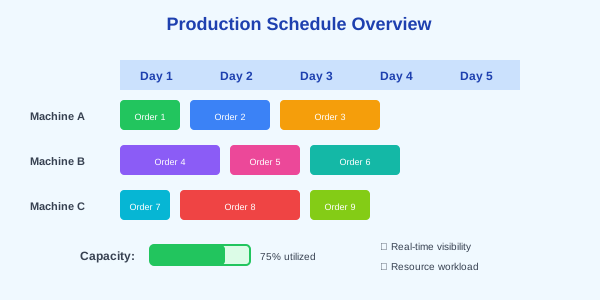
Full Scheduling Transparency
Gain a clear overview of all resource workloads and order timelines in one interactive view. See your entire production schedule at a glance and understand capacity utilization across all resources.
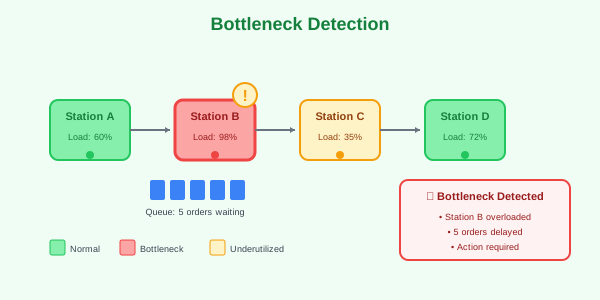
Bottleneck Detection
Spot overloaded resources or delayed orders instantly, before they disrupt production. Proactive identification of capacity constraints enables preventive action.
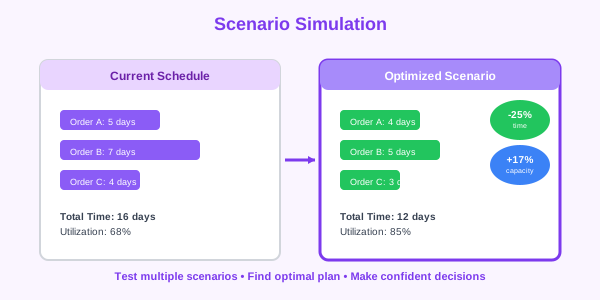
Scenario Simulation
Test different timeframes, zoom levels, and scheduling options to find the optimal plan. Evaluate multiple what-if scenarios to make confident planning decisions.
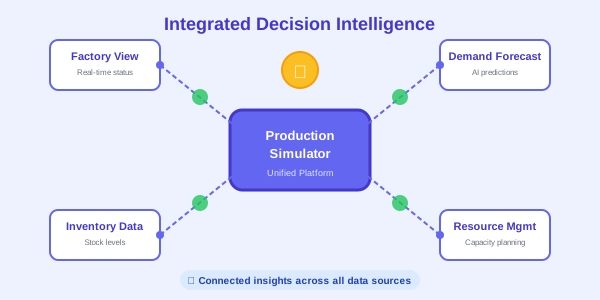
Smarter Decision-Making
Empower planners with real-time insights that connect directly to Factory View and other graphs. Integrated intelligence across all production data sources.

Moritz Kern
CEO
Ready to Transform Your Supply Chain?
Whether you're ready to request a demo or simply want to explore how our solution can benefit your business, we'd love to connect!
Get in Touch
Fill out the form below and we'll get back to you within 24 hours.